
Jot
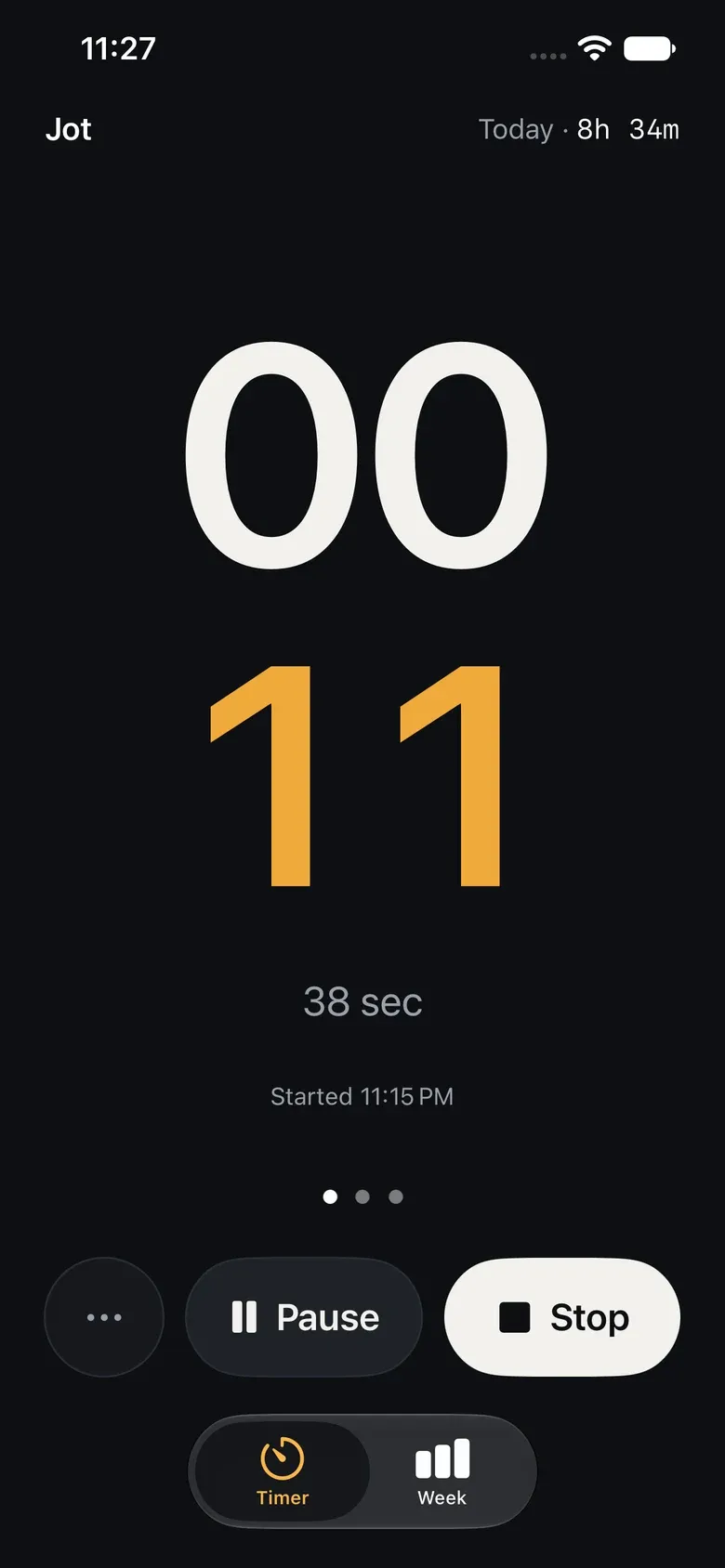
A one-tap time tracker for iPhone and Mac. Start the timer the moment you begin; say what it was when you stop.
- Written by
- Naresh Kumar
- Updated
- Reading time
- 4 min
- Status
- In TestFlight
This is the journal of how I built it, tested it and got it ready for the App Store.
Why I built it
I bill clients by the hour, and time tracking only works for me if it costs almost nothing. Every tracker I tried wanted a client, a project and a description before the clock started, which is exactly when I don’t want to think about it. So the idea for Jot was simple: tap Start the moment you begin, and say what it was when you Stop. Logging should take about five seconds.
It had a second purpose too: to ship my first app on the App Store, built properly rather than just built quickly.
How I built it
I worked with AI coding agents, mostly Claude Opus in Claude Code. The agents wrote most of the code; I set the brief, made the decisions, reviewed the changes and tested the app on my own iPhone and Mac. It’s native Swift and SwiftUI, with SwiftData and my own private iCloud for sync. There’s no server and no account, and I can’t see anyone’s data.
Every decision, and why, went into a decision log as we went. The times below are from the project’s history, in Central Time.
The journal
Thursday, 29 October 2026
- 11:55. First commit: the core iPhone timer. Start with one tap, no client needed.
- 12:01. A week dashboard, editing, hourly rates and CSV export.
- 12:13. Storage ready for iCloud, sync clean-up between devices, and a Mac app in the menu bar.
- 12:46. A Lock Screen Live Activity, Siri, a reminder for a timer left running, PDF summaries, and the first draft of the App Store listing.
- 13:25. Start and stop now reach the other device in seconds, not minutes, through iCloud’s key-value storage.
- 14:03. The working name “Jotember” became Jot, with its icon: an amber dot over a white one, a colon in the style of a Nordic clock.
- 14:32 to 14:39. Privacy manifests, and two Home Screen widgets: This week and Timer.
Friday, 30 October
- 12:54. Three clock faces to swipe between (Bold, Quiet and Dial), my letterhead on PDF summaries, and pages that break by measured height.
- 12:54. A full review of the app, written as a senior iOS engineer would before release. It listed 18 issues, from week totals that could count an entry twice to PDFs that dropped rows. The first fixes landed the same day.
- 19:32. A Review list for sessions that still need details, and a reworked stop sheet and export.
Monday, 2 November
- 23:38. Pause, switch client mid-session, and “I started earlier” for the times I forget to tap Start.
Tuesday, 3 November to Wednesday, 4 November
- Small things from daily use on my phone: clearer Clients and Letterhead buttons, and a keyboard that closes from any field.
Monday, 9 November
- 20:11. Each entry now keeps the rate it was logged at. Before, changing a client’s rate quietly repriced work I’d already billed.
- 21:37. Named letterheads. I work under more than one title, so each client can now pick the letterhead that goes on its PDFs.
- 22:24 to 23:36. A second opinion from a model running on my own laptop: Qwen3.8 27B, reading the code with no knowledge of how it was meant to work. It found seven real bugs, including one I’d missed and a test had approved. I wrote about it here.
- 23:57. All seven fixed, five of them with automated tests.
Tuesday, 10 November
- 00:33. Re-checked all 18 review items against the code and fixed the six that still blocked release: a failed discard could still delete the session on the other device, the Mac discarded a running timer in one click, and renaming a client to an existing name could merge two clients’ histories.
- 00:41. A stress test that renders the real PDF code with 0, 1, 26, 27 and 100 entries, 30 clients, three currencies and a note longer than a page. It found five ways a PDF could cut something off or misstate it. All fixed, and the test now runs before every release.
- 01:14. The App Store texts brought in line with what the app actually does.
- 01:28. Before switching sync to production, I checked the iCloud schema field by field. Three fields were missing, which would have broken sync for the first billable entry. Added, then deployed.
- 01:47. The privacy policy and support page went live here.
- 02:01 and 02:03. Version 1.0.0 uploaded to TestFlight, for iPhone and then Mac.
By then the app had 101 automated tests, the PDF stress test, two independent reviews and a backup of my real data taken before the switch to production.
Where it is now
Jot is in TestFlight on my iPhone and Mac, and I’m using it for real billing. Before I submit it to the App Store, I want:
- A week of real use, including one full billing cycle sent to a client.
- App Store screenshots, made with sample data.
- Backup and restore, so nobody depends on iCloud alone.
- An accessibility pass with VoiceOver and the largest text sizes.
When Jot is on the App Store, the link will be here. It will be free.